For professionals, freelancers and entrepreneurs, staying productive and effective scheduling go hand-in-hand. With so many scheduling apps available, deciding where to start can be overwhelming. We’ve found our 5 favorite scheduling apps in 2021, and we break them down in this guide.
As a working professional or entrepreneur, nothing can make or break your day like your schedule. The satisfaction you feel when everything falls into place and your tasks fit together seamlessly can’t be matched. But when you’re in reactive mode and rushing from task to task with no plan whatsoever, that sort of chaotic energy can drag your business down and even creep into your outside-of-work life.
That’s why having a reliable scheduling and calendar app is so important. With the right app, when a new task or appointment falls into your lap, you don’t have to scramble or rewrite your entire schedule. You just plug it into your digital calendar and go about your busy day.
In this list, we’ll cover 5 of our favorite scheduling apps and share some of our own productivity and scheduling tips.
(And if you lean strongly towards one of these apps, be sure to vote on your favorite at the end!)
Get Greenlight in your inbox.
Join a community of 50,000+ small business owners and get insights and inspo.
Best Overall: Google Calendar
Best Overall: Google Calendar
Google Calendar
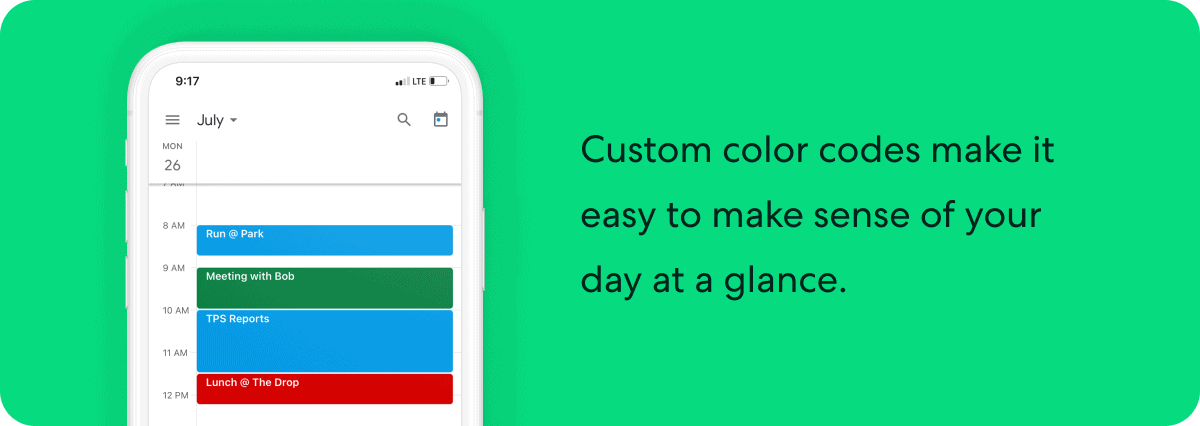
The old adage “if it ain’t broke, don’t fix it” is one you could readily apply here. Google Calendar has been a staple for appointment setting, scheduling and productivity for years and there’s a reason for it. It’s simple interface, intuitive scheduling and Gmail integration make it an easy choice for anyone seeking a free productivity tool.
It may not have all the bells and whistles of paid apps, but Google Calendar provides immediate utility for anyone who needs to organize their time, whether throughout the day or far into the future. If you’re already a Gmail user, Google Calendar has the functionality to give you everything you need for scheduling and productivity.
Pros:
Easily toggle between daily, weekly and monthly calendar views
Create tasks, events and reminders with a few taps
Automatically imports event dates (like flights or concerts) from Gmail
Share calendars with other Gmail users.
Cons:
Full functionality won’t be appreciated by non-G Suite users
Ironically limited search function
Price: Free
App Store Rating: 4.6
Best For Appointments: Calendly
Best For Appointments: Calendly
Calendly
Calendly promises to save you time so you can be more productive and focused. It’s an appointment booking app that lets you eliminate the back-and-forth that happens when two parties are trying to narrow down a meeting or appointment time. Users set availability parameters before sending out an invitation link. Invitees can then select which appointment works best for them out of what’s available.
If you work alone, the free version of Calendly probably has enough functionality for you, but if you work with a team, you’ll likely end up moving up to the paid version. The mobile app is known for being less user-friendly than its desktop counterpart. It’s not as comprehensive as Google Calendar, but could make a great complimentary piece for your productivity app arsenal.
Pros:
Great for appointment-setting
Integrates with Google Calendar to avoid double-booking
Allows users to set team availability
Clients can select appointment times based on your availability
Cons:
Not as user-friendly as the desktop version
Not as comprehensive as Google Calendar
Price: Free, $10/month (Premium), $15/month (Pro)
App Store Rating: 4.0
Best For Teams: Square Appointments
Best For Teams: Square Appointments
Square Appointments
Square Appointments is an all-in-one app for small businesses that lets you book appointments, send reminders and process payments, all from the same place. You can set up a customer booking website through the app and even charge cancellation fees for no-shows.
If you’re looking for an app that not only lets you manage your schedule, but run virtually your entire business, it’s well worth it to give Square a closer look.
Pros:
Automatic reminders and confirmations
Allows clients to book their own appointments and select from multiple service options
Works well with Google Calendar
Cons:
Per-transaction fees can be prohibitive to some business models
Some users complain about long loading times
Price: Free for 1 staff calendar, $50/mo or more for multiple
The Appointy app boasts an online appointment scheduling system, with loads of customization options. It will connect to your Facebook business page, adding a tab that allows customers to book their own appointments. If you have employees, you can make sure they don’t get overbooked by setting their hours and availability within the app. It also has built-in Google Calendar sync and is compatible with Square.
The mobile app does suffer from not being as user-friendly and streamlined as the desktop version. With that in mind, it can still be a powerful app when used in combination with other tools like Square or Google Calendar.
Pros:
Very customizable
Allows customers to book their own appointments
Set employee hours and availability within the app
Google and Square compatible
Cons:
Some users complain about the mobile experience, especially on iOS
Limited functionality with free version
Price: Free, with $19.99, $49.99 and $79.99 premium versions
App Store Rating: 2.5
GenBook
Genbook is a premium appointment scheduling and business management tool geared toward self-employed professionals and appointment-based small businesses like photographers, hair stylists and massage therapists. You can book and manage appointments directly from the app and filter your appointment calendar by staff member. The app also has customer contact information and review management capabilities. Prices start at $25 per month for one user.
Pros:
Easy to use for businesses and clients
Customer reviews are linked to Google
Automated email followups to prompt reviews and testimonials
Cons:
Can be difficult for clients to cancel appointments
Importing client data can be frustrating
Some users report issues with GenBook’s mobile app
Price: Starts at $25/mo
App Store Rating: 4.9
Honeybook
Honeybook is a multi-functional business management platform that handles scheduling, appointment setting, invoices, contracts, emails and payments. Geared toward small business owners, entrepreneurs and freelance professionals, Honeybook offers a premium solution to many business challenges.
Pros:
Robust set of tools that go beyond just scheduling
TeamUp is a calendar app that focuses on scheduling between teams or groups rather than businesses and clients. Each team or group member can create a color-coded calendar, and all calendars are overlaid so teams can easily spot scheduling conflicts and availability. More of a desktop application, the mobile app works by accessing the URL of a previously created TeamUp calendar.
Pros:
Great for small teams
Free version has plenty of useful features
Can sync with Google calendar
Cons:
Mobile app is very limited compared to desktop version
Becomes unwieldy with larger teams
Users report syncing issues between mobile and desktop
Another team-focused calendar app, Trello, takes a “whiteboard” style approach to organization. Team members have access to a board, which is broken down into different lists. Team members add “cards” to each list as needed. Any team member can access the board and quickly see what everyone is working on, the status of projects and upcoming deadlines.
Pros:
Useful for teams looking for something more dynamic than a simple calendar
The focus on collaboration makes Trello a top choice for creative teams
Simple and easy to use
Cons:
Not always the best option for larger, more complex projects
In-app messaging functionality is lacking
Big picture focused, smaller details can fall by the wayside
Price: Free option, Premium plans start at $12.50/mo
App Store Rating: 4.5
Scheduling and Productivity Tips
Scheduling and Productivity Tips
Plan your entire week in advance.
“One day at a time” is not the philosophy to follow when it comes to your schedule. Block off some time Sunday evening or early Monday morning to plan out your week. Fill in important meetings, block out the times you know you’ll be unavailable, and you’ll have a great foundation that will enable you to adapt to any developments that arise throughout the week.
Knock out your most important task first.
We humans have a tendency to rush toward the easier, nonconsequential things and put off what really matters. When it comes to your work, taking care of that big scary to-do list item as soon as you can will free up valuable mental energy and let you sail though the rest of your schedule on auto-pilot.
“Batch” similar tasks.
When we’re constantly switching gears, it can take a while for our brains to catch up and get “in the zone.” With that in mind, working with your schedule so that similar tasks are all batched together can help you stay productive and get more done. Why interrupt your workflow with a meeting when you can get all your meetings done back-to-back in a single day?
Schedule time for non-work activities.
Even if you’re the most productive person you know, you still need time to step away from your work and recharge your batteries. But for the super-productive, workaholic types, finding time to just enjoy the moment can be almost impossible. So treat your free time like you would any other important task and schedule it!
Use last week’s schedule as a template for this week.
This isn’t just to make the often arduous task of scheduling easier for you. It also helps to build routine into your week-to-week work life. When you perform the same tasks at the same time, you’ll start building habits that make busy work easier to start and quicker to finish.
It’s your turn
Google Calendar may have won in our battle of the best scheduling apps, but we’d still love to hear your opinions! Which app is your personal favorite?
What is your favorite scheduling app?
Google Calendar
Calendly
Square Appointments
Appointy
GenBook
Other
Vote
Show me the results
August 19, 2021
Our editorial content is intended for informational purposes only and is not written by a licensed insurance agent. Terms and conditions for rate and coverage may vary by class of business and state.




 Google Calendar